comparison · cleanshot-x
DrawShot vs CleanShot X — an Honest Comparison (2026)
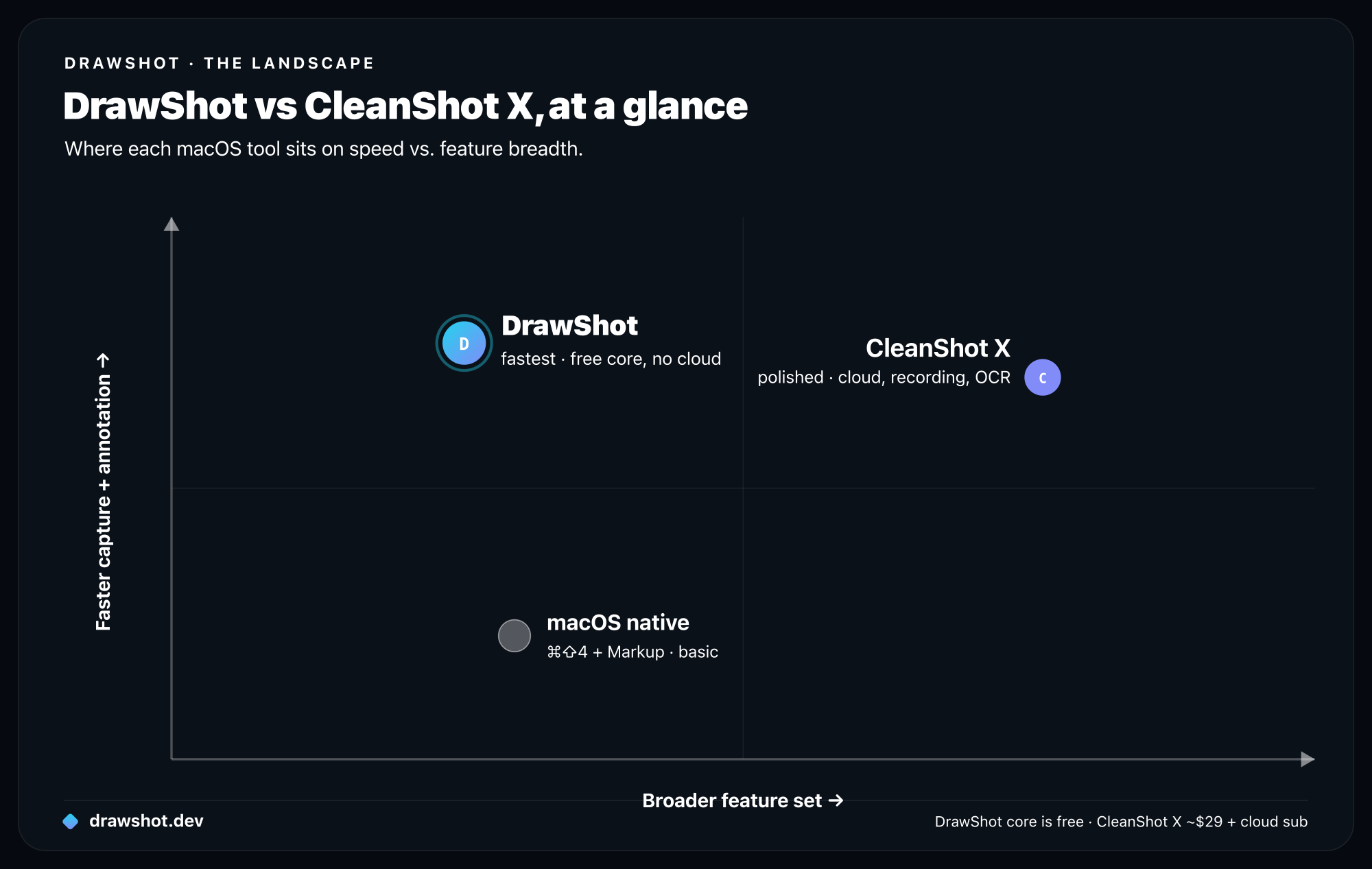
TL;DR: Pick CleanShot X if you need scrolling capture, screen or GIF recording, OCR today, or cloud sharing with view-tracked links — it's the polished do-everything tool. Pick DrawShot if you take a lot of screenshots and want them annotated and in your clipboard in seconds, with single-key tools, no account, no telemetry, a tiny ~22MB footprint, and a free core that never paywalls capture.
CleanShot X is the polished, well-built macOS capture app I used myself for two years before building DrawShot. This is going to be an honest comparison — what CleanShot X does better, what DrawShot does better, and which one you should probably pick.
If you're weighing this against the wider field, see our CleanShot X alternatives guide for a broader look. This post is a focused head-to-head.
What CleanShot X does better
A genuine list. No false modesty.
Cloud sharing. CleanShot Cloud is a real, well-built sharing service. One click on a capture gives you a short share link with view tracking, expiry, and password protection. If your workflow is "send a screenshot to someone outside my company," this is excellent. DrawShot's free tier has no equivalent, and DrawShot doesn't run a cloud at all.
Scrolling capture. CleanShot X's scrolling capture is best in class. It auto-detects the scroll container, scrolls smoothly, and stitches with no visible seams. DrawShot does not do scrolling capture — full stop. If you regularly capture long pages or chat threads, CleanShot X wins outright.
Screen and GIF recording. CleanShot X records full-screen or region video and exports to GIF or MP4. DrawShot is an annotator, not a screen recorder — it captures still images only and records nothing. If you need short clips or GIFs, CleanShot X is the obvious pick.
OCR text extraction today. CleanShot X can pull text out of any capture right now. DrawShot has OCR / image-to-text planned as a Pro feature, but it isn't shipping yet. If you extract text from screenshots regularly and need it today, CleanShot X is your tool.
Hidden Desktop on capture. A setting that temporarily hides your Desktop icons when you capture — so a cluttered Desktop doesn't show up in screen shares. Small touch, very nice.
Pinned captures on screen. You can pin a capture as a floating window that stays on top of other apps — handy for referencing one screen while typing in another. DrawShot's toast stack is similar in spirit but a different UX.
Mac App Store availability and the polish of a years-old product. CleanShot X has been in active development since 2019. There are many small features — capture history, advanced exports, design-tool integrations — that a younger app simply won't match for a long time. The breadth and polish are real.
What DrawShot does differently
Not necessarily better — just different choices.
A free core that never paywalls capture. CleanShot X is around $29 one-time for the app, plus a separate cloud subscription for cloud features. DrawShot's core annotator is free — all 11 annotation tools, capture, the toast stack, and ⌘S to save-and-copy, with no signup and no paywall on capture or annotation. A Pro tier at $9/year is coming that adds new things; it doesn't gate what's already free.
Local-only by default. CleanShot Cloud is optional, but the app collects analytics. DrawShot has no telemetry, ever, and no account — the full reasoning is in why DrawShot is local-only. The only network call is an optional update check.
Smaller surface area. CleanShot X spans region, window, full screen, scrolling, video, GIF, OCR, color picker, recording, and a handful of quick-share destinations. DrawShot does capture and annotation, and does them fast. Less to learn, less in the way — and a tiny ~22MB install versus CleanShot X's much larger footprint.
It rides the native macOS shortcuts — no new hotkey. DrawShot doesn't add its own capture hotkey. It watches the Desktop for the shortcuts you already know: ⌘⇧4 for a region, ⌘⇧4 then Space for a window, ⌘⇧3 for the full screen, and ⌘⇧5 for the capture menu. Your existing muscle memory just works, and you get region, window, and full-screen capture out of the box.
Single-key annotation tools. DrawShot maps every annotation tool to one key. CleanShot X uses modifier combinations. For someone who annotates a lot, the difference is real — roughly a second saved per annotation, which adds up fast across a day. The 11 tools:
- Draw — D
- Arrow — A
- Rectangle — R
- Circle — O
- Highlight — H
- Eraser — E
- Stamp — S
- Blur — B
- Crop — C
- Callout — L
- Step numbers — N
No login, no server in the loop. CleanShot X works without a login, but its cloud features require one. DrawShot has no login flow at all.
Direct feature comparison
| DrawShot | CleanShot X | |
|---|---|---|
| Region capture (⌘⇧4) | ✓ | ✓ |
| Window capture (⌘⇧4 → Space) | ✓ | ✓ |
| Full-screen capture (⌘⇧3) | ✓ | ✓ |
| Capture menu (⌘⇧5) | ✓ | ✓ |
| Adds its own hotkey | No — rides native shortcuts | ✓ (own shortcuts) |
| Capture-to-clipboard speed | Fastest | Fast |
| Single-key annotation tools | ✓ (all 11) | Partial (modifier chords) |
| Annotation tools (count) | 11 | 11 |
| Persistent post-capture toasts | ✓ | ✓ (different UX) |
| Scrolling capture | No | ✓ |
| Screen / GIF / video recording | No | ✓ |
| OCR text extraction | Pro (coming) | ✓ (today) |
| Color picker | No | ✓ |
| Cloud share link + view tracking | No (no cloud) | ✓ (tracking, expiry, password) |
| Telemetry / account | None | Analytics on; account for cloud |
| Install size | ~22MB | Much larger |
| Price | Free (Pro $9/yr, coming) | ~$29 one-time + cloud sub |
| OS | macOS 13+ | macOS 11+ |
TTC comparison
I ran the same single-arrow time-to-clipboard (TTC) test against both apps on the same M2 Air. Median across 50 runs:
| DrawShot | CleanShot X | |
|---|---|---|
| Capture-only | 1.4s | 1.9s |
| Single arrow | 4.1s | 5.6s |
| Three annotations | 6.9s | 8.4s |
CleanShot X is fast. DrawShot is faster, by about 25–35%. The difference is mostly in the annotation phase — single-key shortcuts versus modifier chords matter when you draw 30+ arrows a day.
That said: TTC is the metric I care about — see the four seconds to clipboard deep-dive for the full methodology. DrawShot is optimized for it. CleanShot X is optimized for "every screenshot feature you'd want in one app." Different goals, different winners.
Pricing math
If you take 20 captures a day, 200 working days a year, that's 4,000 captures a year.
| DrawShot | CleanShot X | |
|---|---|---|
| Year 1 | Free (Pro $9/yr, coming) | ~$29 (app) + cloud sub if used |
| Year 2 | Free, or ~$9 if you add Pro | $0 app, or cloud sub if used |
| Year 3 | same | same |
To be precise about DrawShot's pricing, because it matters: the core annotator is free, and Pro is a recurring subscription — $9/year, about $0.75/month — not a one-time purchase. Pro is coming soon and adds OCR / image-to-text, AI Summarize, AI auto-naming, capture history, and full backgrounds. So DrawShot's price angle isn't "no subscription" or "pay once" — it's the cheapest pro tool, at $9/year.
CleanShot X is around $29 one-time for the app, with a separate cloud subscription if you want cloud sharing, link tracking, and the like. For a tool you use 4,000 times a year, that's not expensive — and if CleanShot Cloud is central to your workflow, the cost is well-justified.
I'm not arguing CleanShot X is overpriced. The pricing on each side reflects what the product is built to do: CleanShot X carries cloud infrastructure to recover; DrawShot runs no cloud, so adding a user costs nothing.
Which one should you pick
Pick CleanShot X if:
- You need scrolling capture for long pages or threads.
- You also need screen, GIF, or video recording.
- You share captures externally and want view-tracking links with expiry and passwords.
- You rely on OCR today, not later.
- You want the broadest, most polished feature set in one app.
- You're on macOS 11 or 12 (DrawShot requires 13+).
Pick DrawShot if:
- You take 30+ captures a day and want every second back.
- You want a free core that won't paywall capture or annotation.
- You'd prefer no telemetry, no account, no server in the loop.
- The single-key annotation workflow appeals to you.
- You like that it rides the native macOS shortcuts instead of adding another hotkey.
- You'd rather pick a dedicated tool for recording / scrolling / OCR than have one app do all of them.
Use both: plenty of people keep CleanShot X for cloud-share, recording, and scrolling workflows, and a separate fast tool for everyday capture-and-annotate. DrawShot can be that fast tool. They don't conflict — DrawShot rides the native shortcuts, so CleanShot X can own its own.
What I respect about CleanShot X
Genuinely — I built DrawShot in part because I admire what the CleanShot X team has done. It's polished, performant, well-thought-out, and the team ships updates regularly. CleanShot Cloud is a real piece of software, not a side feature. The macOS integrations — the menu bar, the keyboard shortcuts, the file naming — are clearly the work of people who care.
The reason DrawShot exists isn't that CleanShot X is bad. It's that I wanted a different shape of tool — smaller, faster, free at the core, no cloud — and that shape couldn't exist as a fork.
If you try DrawShot and decide CleanShot X is what you want, that's a fine outcome. Both are good answers to slightly different questions.
FAQ
Is DrawShot a good CleanShot X alternative? Yes, if your priority is fast capture-to-clipboard, single-key annotation, and privacy. DrawShot's core annotator is free with no account or telemetry. CleanShot X wins if you need scrolling capture, screen/GIF recording, OCR today, or cloud sharing with link tracking.
How much does DrawShot cost versus CleanShot X? DrawShot's core annotator is free. A Pro tier at $9/year (~$0.75/month) is coming and adds OCR, AI Summarize, AI auto-naming, capture history, and full backgrounds. CleanShot X is around $29 one-time, with a separate cloud subscription for cloud features.
Does DrawShot record video or do scrolling capture like CleanShot X? No. DrawShot is an annotator, not a screen recorder — it does not record video or GIF, and it does not do scrolling capture. CleanShot X does all three. If you need them, CleanShot X is the better fit.
Does DrawShot need its own hotkey? No. DrawShot watches the Desktop for the native macOS screenshot shortcuts — ⌘⇧4 (region), ⌘⇧4 then Space (window), ⌘⇧3 (full screen), and ⌘⇧5 (menu). There's nothing new to learn; your muscle memory just works.
Download DrawShot — free · DrawShot vs Shottr · all free Mac screenshot tools
— Shraddha
drawshot.dev · macOS 13+ · free core, Pro $9/yr (coming)
DrawShot — free macOS screenshot annotator
Annotate your first screenshot in under 30 seconds. No account, no signup.
— Shraddha Mittal
Related reading