privacy · product-decisions
Why local-only — and what it costs
DrawShot is local-only: no server, no account, no telemetry, no cloud sync. Screenshots are sensitive, so I chose not to collect the data at all — no server means no breach surface, and the app is faster for it. The cost is real: no cross-device sync, no team links, no content search.
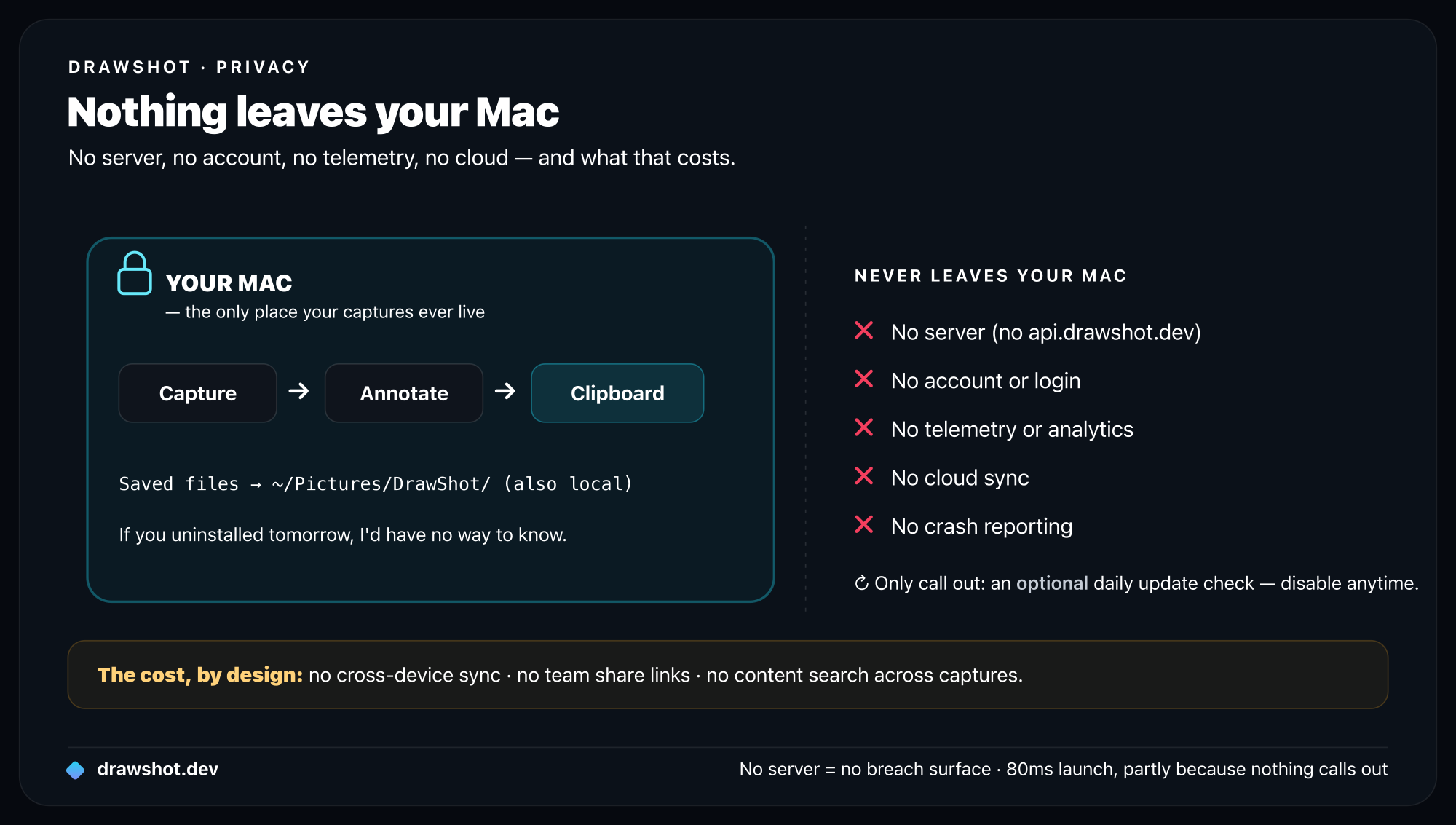
DrawShot does not have a server. There is no account, no telemetry, no analytics, no cloud sync, no team workspace. The only network connection the app makes is an optional once-a-day update check, which you can disable.
This is a deliberate choice. It's also a costly one. This post is about why I made it and what I'm giving up.
What "local-only" means in practice
In concrete terms:
- No login. Nothing to set up after install except a macOS permission.
- No cloud backend. There's no
api.drawshot.devto call. - No usage analytics. I don't know how many captures you take, what tools you use, what time of day you use the app, or whether you opened it today.
- No crash reporting. If DrawShot crashes, the macOS crash log stays on your Mac. I don't see it unless you email me.
- No "for you" recommendations, no "you might also like," no email follow-up.
If you uninstalled DrawShot tomorrow, I'd have no way to know.
Why I built it this way
Three reasons, in order of weight.
1. Screenshots are sensitive
Look at the last 20 screenshots in your Pictures folder. I'd guess at least 3 contain something you wouldn't want a stranger to see — a draft email, a half-finished credit card form, a confidential design, a private chat, a customer's name, a Stripe dashboard.
If DrawShot uploaded captures to a server, even briefly, that data would exist somewhere I'd have to secure. I'd need to think about:
- Server-side encryption
- Key management
- Access logs
- Subpoena response
- Breach notification
- Sub-processors and their security posture
These are solvable problems. They're solvable problems for a company with a security team and a dedicated infrastructure engineer. They're not solvable problems for one designer with a Mac and 8 weeks.
The honest move was to not collect the data in the first place. No server = no breach surface.
2. The product is faster without it
Every product I've used that started simple and added "smart cloud features" got slower over time. Authentication adds login flows. Sync adds spinner states. "Open this on another device" adds permission flows. Analytics adds a tracking SDK that turns out to also track when the app is idle.
The 4-second TTC metric I care about (previous post) is partly possible because there's nothing to call out to. The app starts in 80ms because there's no SDK warm-up. The capture writes to clipboard immediately because there's no upload to wait for. The annotation canvas doesn't show a sign-in card because there's nothing to sign into.
Local-first isn't a marketing position. It's a performance choice.
3. It matches who I am
I'm one designer building this in evenings and weekends. I don't have a customer success team to answer "where did my data go?" tickets. I don't have a legal team for GDPR/CCPA/SOC 2. If I'd built a SaaS, I'd be spending half my time running the SaaS instead of building the tool.
Local-only matches the actual scale of who's behind it. The product is honest about what it can sustainably promise.
What it costs
Now the honest part. Local-only is not free for the product. Things I'm giving up:
Cross-device anything
Captures on my Mac mini at home don't appear on my MacBook in the office. If I want them on both, I have to use a separate sync tool (iCloud Drive, Dropbox) on the ~/Pictures/DrawShot/ folder.
For people who work on multiple Macs, this is a real friction. The paid alternative has cloud sync; DrawShot doesn't. It's a defensible reason to pick the paid alternative instead.
Team workflows
There's no "share this capture with my team" link. If you want to share a capture, you paste it into your team's existing tool (Slack, Linear, Notion). DrawShot stops at "image in clipboard."
This is the right call for a free, individual tool. It's not the right call if your team has a shared visual-asset workflow. Markup.io, Loom, Droplr are built for that and DrawShot isn't going to be.
Search across captures
No "find me the screenshot of the Stripe error from two months ago." The saved files in ~/Pictures/DrawShot/ are searchable in Finder by date, but not by content. Spotlight doesn't OCR PNGs by default.
(macOS Sequoia's built-in OCR does help here. DrawShot adds nothing on top.)
No data on what's working
This is the hardest one for me. I genuinely don't know:
- What percentage of users have ever used the Highlight tool
- Whether anyone uses step numbers
- How long the average session is
- Whether Export exports are a real workflow or vestigial
I have to learn all of this through email feedback and user research interviews. It's slow. It's biased (the people who email me are not a random sample). It costs me design-iteration speed.
The tradeoff: I'd rather be slow and uninformed-by-telemetry than have to defend "we collect this data because…" to a security-minded user.
No A/B testing
Can't run an experiment on copy. Can't compare two onboarding flows on real users. Have to ship one version, listen to feedback, ship the next.
For a small tool, this is fine. For a tool that needed to scale to 100K+ users, it would start to bite.
The asks that don't fit
Three asks I've gotten that I've said no to, with the reasoning:
"Can you add anonymized telemetry?"
What sounds anonymized rarely stays that way over time. Three months in, you want to know "do power users use the Highlight tool more than casual users?" — and now you need session IDs that persist across days. Six months in, you want to debug a regression on M1 Pro specifically — and now you're segmenting by hardware. The line moves.
I'd rather have the constraint locked from day one. If I genuinely need data to make a decision, I'll run a paid user research call.
"Can you add Sentry crash reporting?"
Sentry is a fine tool. Adding it requires Sentry's SDK loading on startup (adds to TTC), making network calls (adds to network surface), and accepting their terms of data handling (adds to my responsibility chain). Three steps away from local-only.
If you hit a crash, use the contact form at drawshot.dev/contact with the crash log from ~/Library/Logs/DiagnosticReports/. I'll read it.
"Can you add iCloud sync?"
iCloud is local-ish — it's still Apple's cloud, but with stronger privacy guarantees than mine could be. I might add this in 1.x. The hesitation is that even iCloud sync changes the trust story: now your captures do leave your Mac, just via Apple's infrastructure. That's a different posture, even if it's a safer one.
If I do add it, it'll be opt-in, off by default, and clearly marked.
When local-only is the wrong choice
I'll be honest — if you fit any of these, DrawShot is probably the wrong tool:
- You work across 3+ Macs and want everything synced. Use the paid alternative.
- You manage a team's screenshot library. Use Droplr or Markup.io.
- You need shared links with view-tracking. Use Loom or Tella.
- You need "screenshot search" across hundreds of captures. Use a dedicated digital asset manager, or wait for macOS Sequoia's OCR to catch up.
DrawShot is for the individual who takes 20–80 captures a day, sends most of them within minutes, and would prefer the tool not phone home.
What I'd reconsider
A few things I might change my mind on:
- Optional iCloud sync for the saved files in
~/Pictures/DrawShot/. Apple handles the cloud part. - Optional Linear / GitHub / Jira integrations for sending captures as issues. The destinations are services you already trust; DrawShot is just the on-ramp.
- Anonymized usage stats only if the data path stays entirely on-device — e.g. a local SQLite file the user can read and the app uses for nothing except its own UI.
What I won't change:
- A DrawShot account
- A DrawShot-owned server that captures touch
- Telemetry I can read
The cost of local-only is real. The product is smaller because of it. Some users will pick a different tool because of it. Both of those are fine. The cost of the alternative — running a SaaS while also being a designer with a day job — is a worse product, slower, more brittle, and less honest about what one person can sustainably promise.
Frequently asked questions
Does DrawShot send my screenshots to the cloud? No. DrawShot is local-only — no server, no account, no telemetry, no cloud sync. Captures, annotations, and saved files all stay on your Mac. The only network call is an optional once-a-day update check you can disable. No server means no breach surface.
Is DrawShot private? Yes. DrawShot collects nothing — no usage analytics, no crash reporting, no account. It doesn't know how many captures you take or whether you opened it today. Screenshots are sensitive, so the honest move was to not collect the data in the first place.
What does local-only cost you? Real things, by design: no cross-device sync (use iCloud Drive or Dropbox on the save folder), no team share links (paste into Slack or Linear instead), no content search across captures, and no usage data to guide design. If you need those, a cloud tool is the better fit.
If you'd like a tool that's just yours, on your Mac, with no strings attached: Download DrawShot — free — macOS 13+, no account.
— Shraddha
drawshot.dev · v1.0 · macOS 13+ · free
DrawShot — free macOS screenshot annotator
Annotate your first screenshot in under 30 seconds. No account, no signup.
— Shraddha Mittal
Related reading